Recall Checker
Baby Product Recall Checker
Check baby and kids products before you buy, borrow, reuse, or save them. Capture a label, barcode, photo, or marketplace listing and TotCheck helps you review what's known.
Quick answer
To check a baby product for recalls, capture the brand, model number, manufacture date, and any lot code or UPC — usually printed on a white label on the product or on the package. With those details you can search the manufacturer's site and the official government recall databases (CPSC for most baby gear and toys, NHTSA for car seats). TotCheck helps pull those identifiers from a photo, organizes them, and reviews possible recall matches and safety signals so you can verify through official sources faster.
What TotCheck helps you review
Recalls are one part of the picture. TotCheck turns confusing labels, model numbers, UPCs, and listings into a clearer product safety profile.
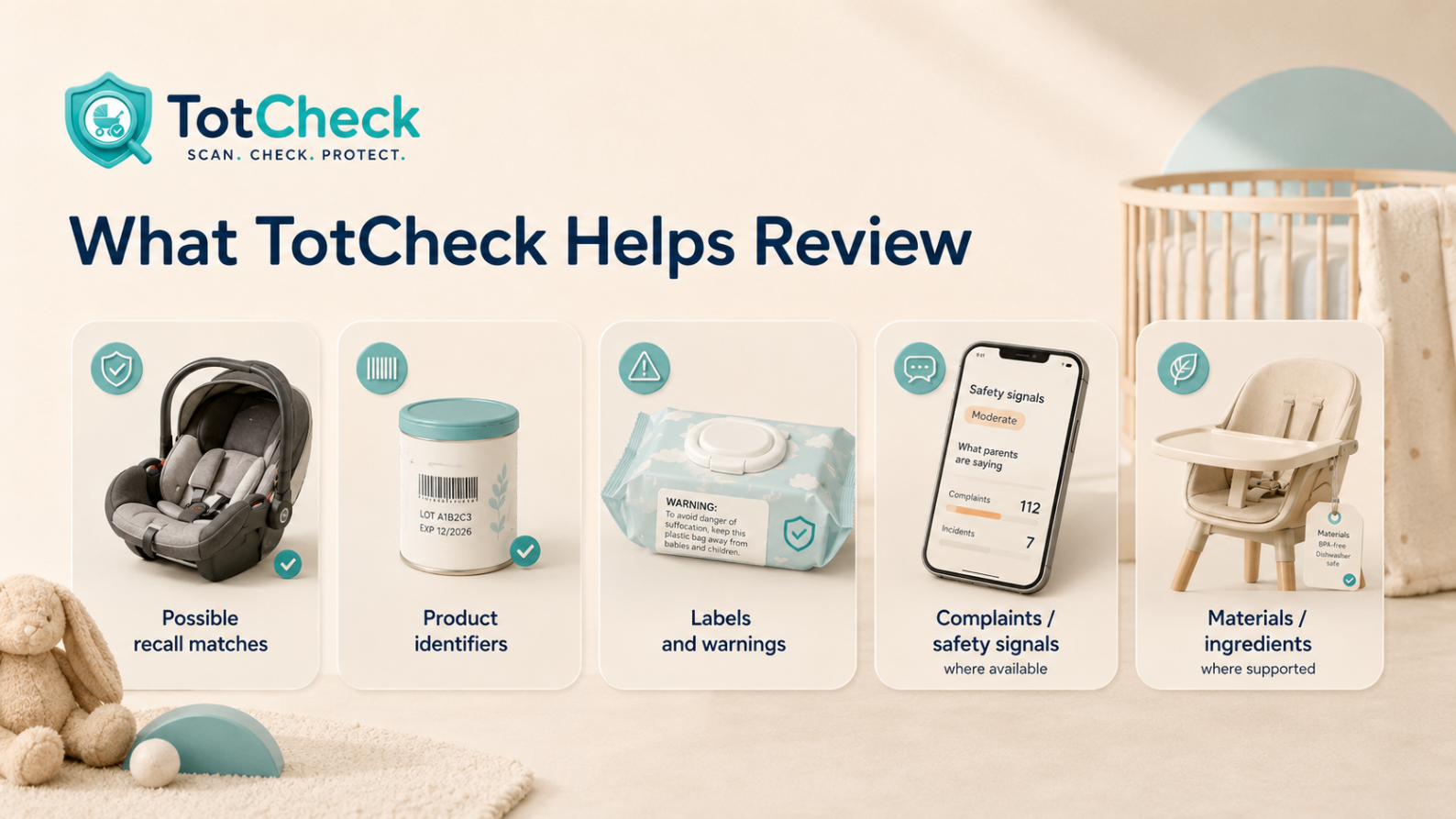
- Possible recall matches from official data sourcesVerify officially
Catches public CPSC/NHTSA recalls that match the identifiers on your product.
- Product identifiers — model, serial, lot, UPC
Pulled from photos so you don't have to retype long strings into multiple sites.
- Safety signals and complaints where available
Patterns of public reports can flag concerns before they become formal recalls.
- Materials and ingredient context where supported
Helps flag specific ingredients or materials that may need a closer look.
- Listing details that may need a closer lookImportant
Marketplace posts often hide key details — TotCheck surfaces what's missing.
Product types TotCheck can help with
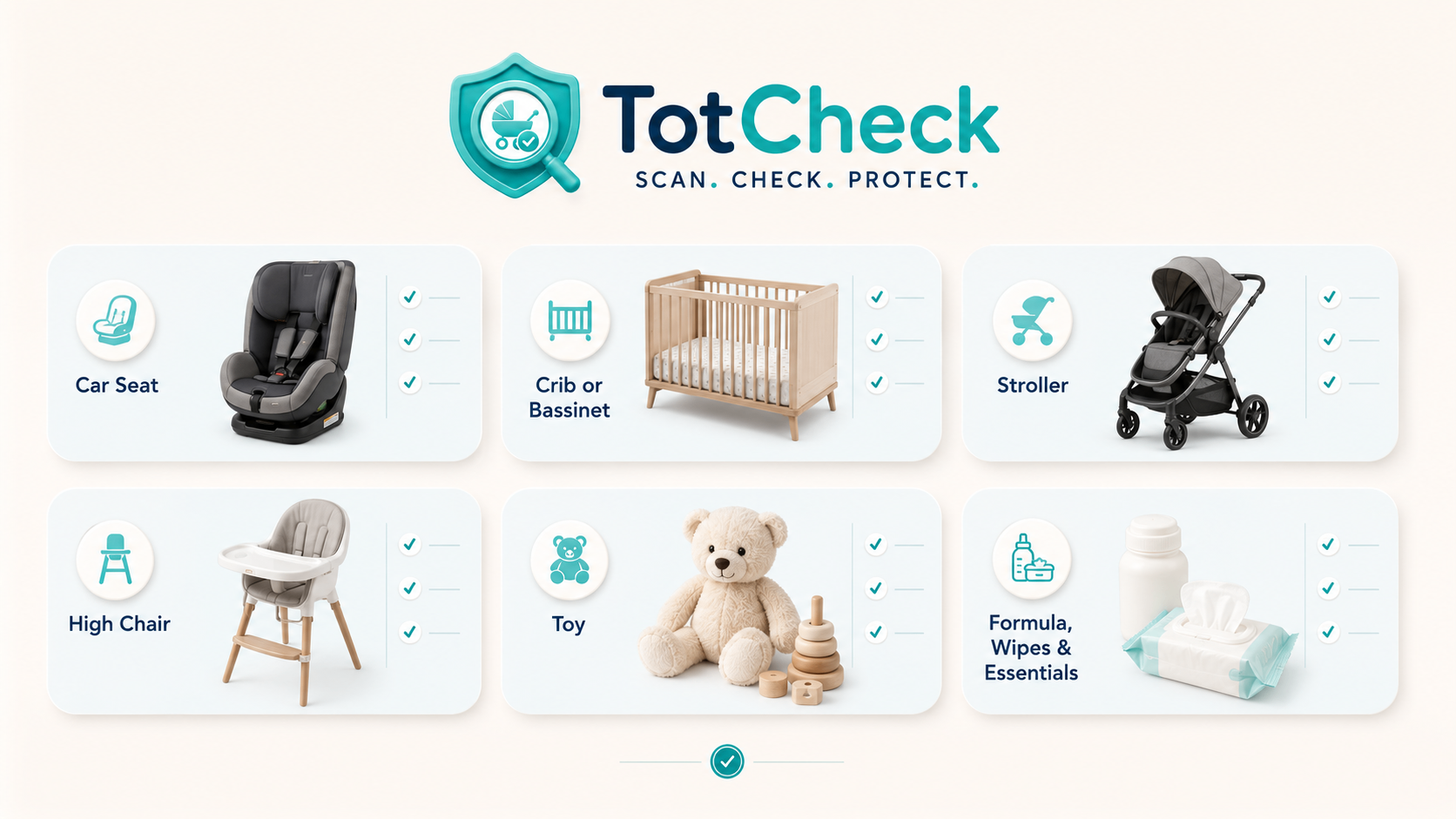
Car seats
Convertible, infant, booster, all-in-one.
Cribs & bassinets
Safe-sleep, hardware, recall history.
Strollers & carriers
Folding, harness, wheel locks.
High chairs & boosters
Restraints, latches, stability.
Toys
Small parts, magnets, batteries.
Formula, food & wipes
Lot codes, expiration, ingredients.
Sleep & nursery items
Sleepers, monitors, swaddles.
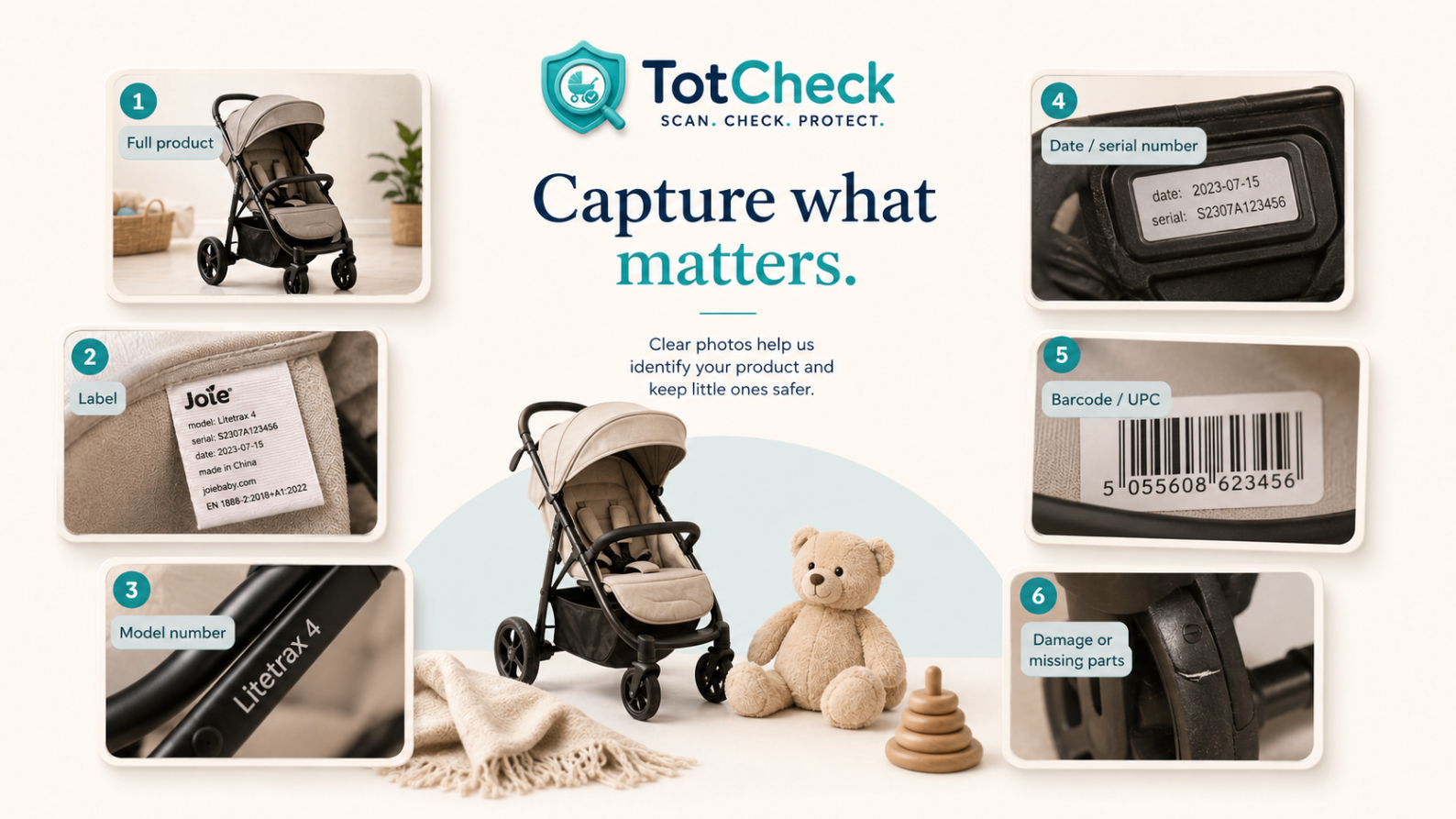
What to capture, by category
The right details depend on the product. Here's what matters most before you check or scan each type.
Car seats
- Brand, model name, and model number
Capture: Full white label on the back, side, or bottom of the shell or base.
- Manufacture date and expiration dateImportant
Car seats expire — typically 6 to 10 years after manufacture.
- Serial number if printed
Useful for newer recalls and manufacturer registration.
Cribs, bassinets, and sleep products
- Brand, model, manufacture date
Capture: Label is usually under the mattress support or on a leg.
- Compliance with current standardsExtra caution
Drop-side cribs and inclined sleepers are no longer allowed.
- All original hardware present and tight
Replacement parts must come from the manufacturer.
Strollers, carriers, high chairs, boosters
- Brand, model, manufacture date
Capture: Label on the frame, underside, or inside the seat pad.
- Harness, buckles, latches, folding locks
These are the parts that fail first with age and use.
Toys
- Brand, item number, age grade
Capture: Photo of the box or tag — UPC helps if the item itself isn't labeled.
- Small parts, button batteries, high-powered magnetsExtra caution
These categories have driven major recent recalls.
Formula, food, wipes, consumables
- Brand, product name, lot code, expiration
Capture: Lot codes are usually stamped on the bottom or crimp of the package.
- Tamper-evident seal intactImportant
Marketplace listings
- Screenshot of the full listing including title and price
- Seller-supplied photo of the white labelExtra caution
If they can't or won't send one, treat as a red flag.
Recall, safety signal, complaint — what's the difference?
A recall is a formal action on a specific batch or model, almost always with a free remedy — repair kit, replacement part, refund, or replacement product.
A safety signal is a pattern — multiple complaints, warning letters, related-product recalls — that hints at a concern but isn't yet a formal recall. Worth knowing before you buy or reuse.
A complaint or incident report is one consumer's account submitted to a database like SaferProducts.gov. One report is a data point; clusters are a signal.
Why 'no recall found' isn't the same as 'safe'
A clean recall search is reassuring, but it can miss recently filed reports, model-year nuances, expired car seats, missing parts, or damage specific to the unit in front of you. Use a no-match result as one data point alongside a physical inspection, manufacture date, and condition.
Verify with official sources
Use these official sources to confirm anything TotCheck surfaces, or to check a product directly.
TotCheck
Have a baby or kids product in front of you?
Capture a label, barcode, photo, or marketplace listing and let TotCheck help you review the details.
Start a free TotCheckFrequently asked
How do I check a baby product for recalls?
Start with the white printed label on the product, then the package or instruction manual. Capture the brand, full product name, model number, manufacture date, and any lot code or UPC. With those details, you can search the manufacturer's site and the official government recall databases (CPSC for most baby gear and toys, NHTSA for car seats). TotCheck helps pull those identifiers from a photo and review possible matches in one place so you don't have to retype long model strings into multiple sites.
Is a 'no recall found' result the same as 'safe to use'?
No. A clean recall search only means the specific model/lot isn't currently in a published recall. It doesn't account for newly filed reports that haven't been actioned, missing parts, an expired car seat, damage from storage, or open consumer complaints. Treat a no-match result as one signal, not a guarantee — and still inspect the product physically.
What product details matter most?
Brand, full model name, model number, and manufacture date carry the most weight for recall matching. Serial numbers help for newer recalls. UPC/barcode helps for packaged consumables and toys. Lot codes are the key identifier for formula, food, and wipes. When in doubt, take a clear, well-lit photo of every printed label and the box — it's faster than typing and you'll have it later.
What's the difference between a recall, a safety signal, and a complaint?
A recall is an official action by a manufacturer or regulator on a specific batch/model. A safety signal is a pattern — repeated complaints, warning letters, related-product recalls — that suggests caution but isn't a recall. A complaint is a single consumer report. All three matter, but only a recall has a formal remedy attached to it.
Does TotCheck guarantee a product is safe?
No. TotCheck helps organize identifiers and review possible recall matches and safety signals, but it does not replace official manufacturer, retailer, medical, or government guidance. Always verify recall status and safety instructions through official sources before using a product.
Related resources
Car Seat Recall Checker
Review car seat brand, model, serial, and expiration before installing or reusing.
Used Baby Gear Safety Checklist
A parent-friendly checklist for marketplace finds and hand-me-downs.
Grandparent's House Baby Safety Audit
A gentle walkthrough for older gear that's been in storage.
Last reviewed for content structure: June 2026. Always verify active recalls and safety instructions through official sources.